
Business & Finance
Stop guessing where your freelance money went.
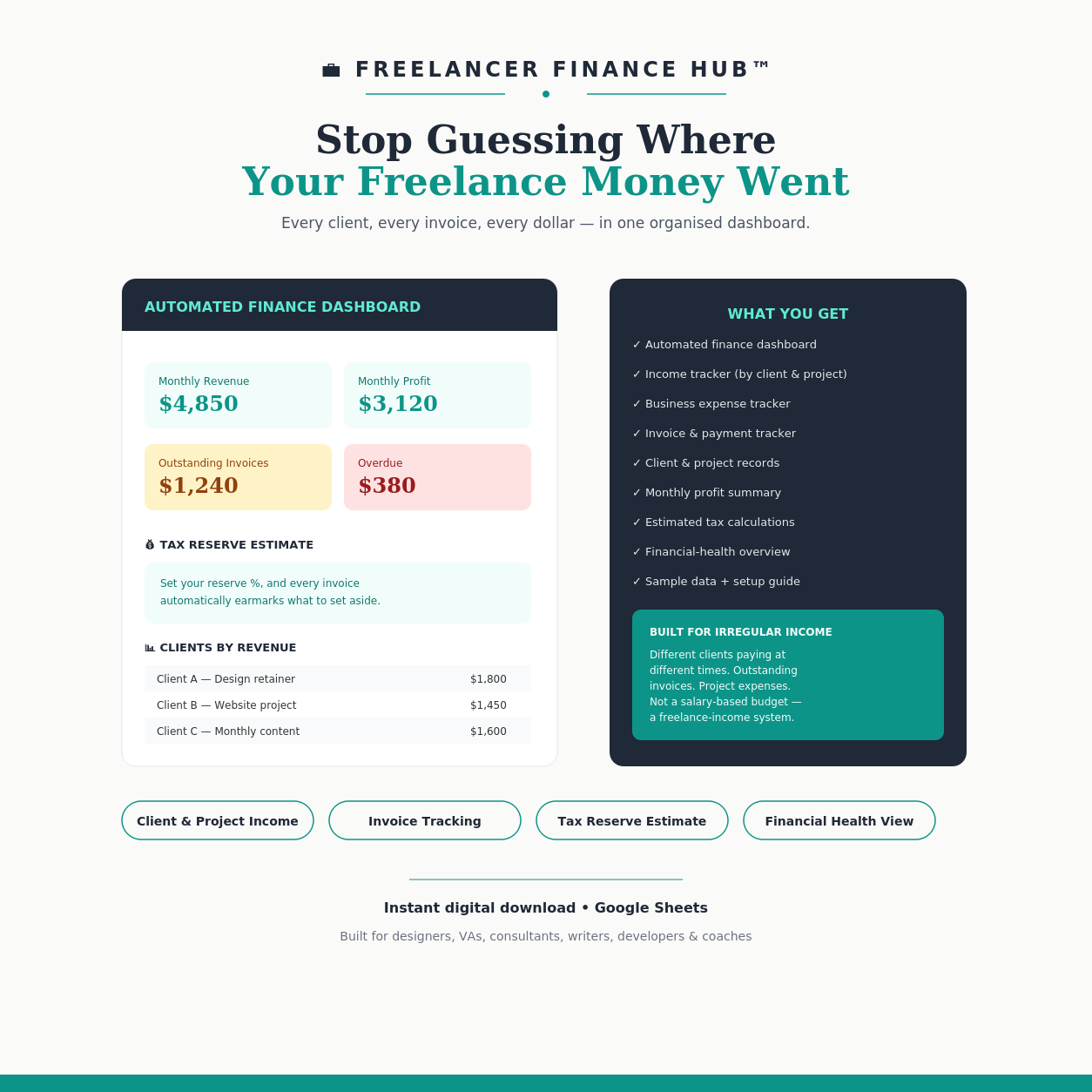
Freelancer Finance Hub™ is an automated Google Sheets finance tracker designed for freelancers managing irregular income, business expenses, client invoices, tax estimates, and changing monthly profit — one organised dashboard instead of scattered notes and bank alerts.
Instant digital download via Gumroad · Free Google account required
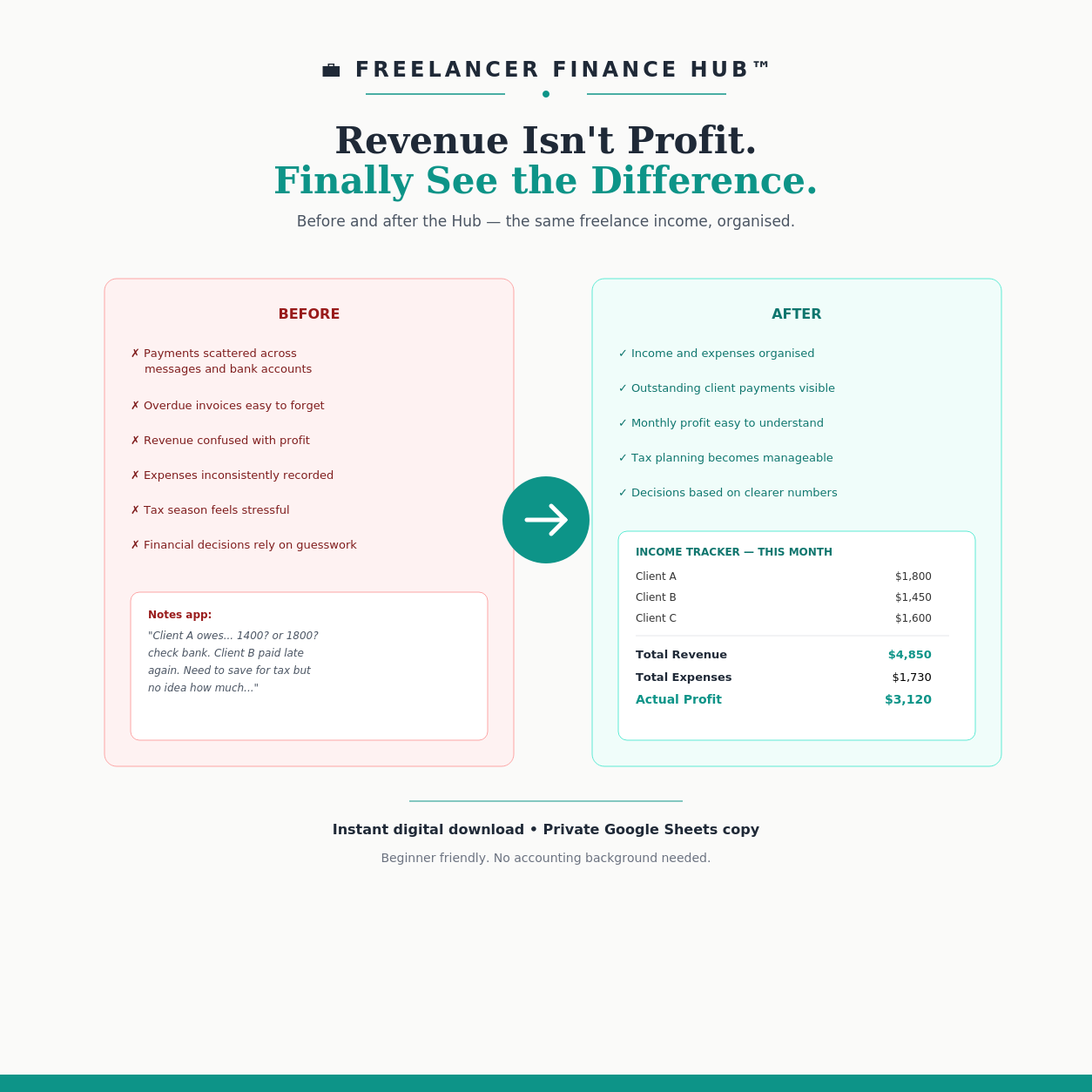
Revenue Isn't Profit
Freelance income doesn't arrive on a schedule, and payments scattered across messages and bank accounts make it easy to confuse revenue with actual profit. Freelancer Finance Hub™ is an automated Google Sheets finance tracker built to help freelancers managing irregular income see income, expenses, and real profit in one organised dashboard instead of guesswork.
Built for Irregular Income, Not a Salary Budget
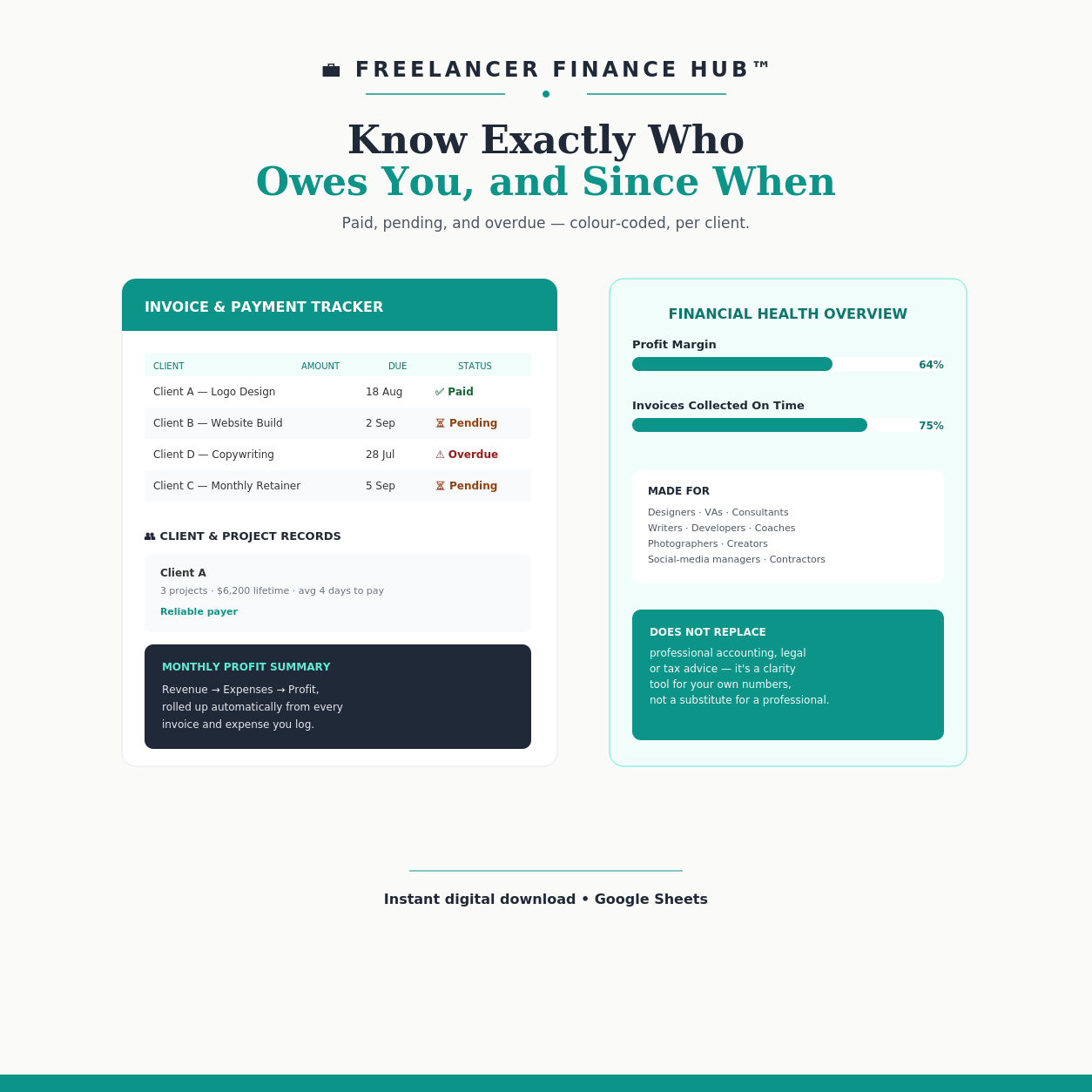
Different clients paying at different times, outstanding invoices, and project expenses don't fit a salary-based budgeting app. This is a freelance-income system — track income by client and project, monitor paid, pending, and overdue invoices, and estimate what to set aside for tax before it becomes a scramble.
What's Included
A full finance system, not just a spreadsheet.
Why Freelancers Choose This Hub
- Track income across different clients and projects in one place
- Monitor paid, pending, and overdue invoices without checking three apps
- See monthly revenue, expenses, and actual profit — not just what came in
- Estimate how much to set aside for tax before it becomes a scramble
- Make decisions based on real numbers instead of guesswork, even when income changes every month
Who This Is For
Designers, virtual assistants, consultants, writers, developers, coaches, photographers, social-media managers, creators, contractors, and other self-employed professionals with irregular income.
Frequently Asked Questions
What software do I need?
Designed for Google Sheets — a free Google account is required. It works best on desktop or tablet.
Does this replace an accountant?
No — this product does not replace professional accounting, legal, or tax advice. It's a clarity tool for your own numbers.
How do I get the files after I buy?
Purchase, download the access guide, open the secure Google Sheets link, and create your own private copy.
Do I need accounting experience?
No. It's beginner friendly, with sample data and a step-by-step setup guide included.

Know exactly where your freelance money goes.
Every client, every invoice, every dollar — in one organised dashboard.
Get the Freelancer Finance HubCheckout completes on Gumroad. See the Refund & Returns Policy and Delivery & Access Policy before purchasing.